Search & Discover — Find Anything on the Wiki
Find any guide, map, tier list, or tool on DesertStorm [EXTRACTION] wiki — organized browse, quick search reference, and navigation shortcuts for every wiki section.
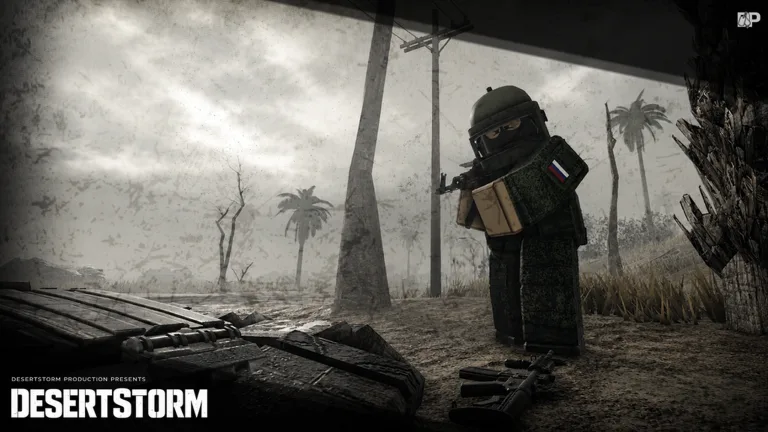
DesertStorm [EXTRACTION] wiki has grown to cover dozens of guides, maps, tier lists, and tools. This page is your content index — every wiki section and page listed with direct links so you can find what you need without digging. Browse by category or use Ctrl+F to search by keyword.
Quick jump — most visited pages
| Page | What it covers |
|---|---|
| How to Play | Core loop, menus, extraction mindset |
| First Raid | Step-by-step from spawn to first extract |
| Controls | Full PC keybind reference |
| Weapons Tier List | S–D weapon rankings for alpha meta |
| Armor Tier List | Gear protection rankings |
| How to Extract | Extract types, timing, failure recovery |
| Budget Starter Build | Cheapest effective loadout |
| Make Money | Loot routes and profitable farming |
| Updates Tracker | August 4 snapshot and alpha history |
| Codes Hub | Current promo code status — no fakes |
All wiki content by category
Guides (20 pages)
The guides section covers every phase of the DesertStorm extraction loop.
Getting started:
- Guides Hub — master index for all guides
- How to Play — overview, UI, extraction mindset
- Your First Raid — safe route walkthrough for brand-new players
- Beginner Mistakes — greed traps, fake code sites, wrong ammo choices
Economy and progression:
- Traders and Tasks — reputation, barters, quest chains
- Make Money Fast — loot routes, flips, low-risk farming
- Supply Drops — timed aerial events every ~10–15 minutes
- Stash Upgrades — storage expansion and material requirements
- Alpha Wipes — what resets, what to hoard, rebuild strategy
- Hideout and HQ — main menu lobby, traders, raid prep
Combat:
- PvP Survival — positioning, third parties, gear discipline
- Boss Fights — PvE mechanics, boss loot, squad coordination
- Squads and Co-op — K-key invite, shared extracts, group tactics
- Medical Supplies — heals, bleed control, rig med layout
- Ammo Types — FMJ vs AP, caliber matching, mag planning
Tools and reference:
- Inventory Management — Tab/Caps packing, weight, mid-raid triage
- Death and Gear Loss — failed extract costs, gear fear, budget rebuilds
- Raid Checklist — interactive pre-raid prep tool
- Private Servers — reduced loot, no bosses, practice before public
- Alpha REVAMP 2026 — June 2026 update coverage
Tier Lists (3 pages)
Current weapon and armor rankings for the alpha meta. Updated after balance patches.
- Tier List Hub — overview of all rankings
- Weapons Tier List — S–D weapon rankings with rationale
- Armor and Gear Tier List — body armor and equipment rankings
Maps (12 pages)
Every Roblox place in the DesertStorm experience with POI routes, extract locations, and player cap info.
- Map Hub — overview of all places and zones
- Main Extraction — core 10-player raid map (place ID 79783567666809)
- Deathzone — high-pressure 8-player alternate with faster pacing
- Spearhead — 50-player strike-map with shorter raid timers
- Introduction — tutorial place for controls and safe practice
- Zombie Mode — PvE horde mode for aim warmup
- Main Menu — HQ lobby place (ID 135764852347416, 50 max players)
- Extraction Points — complete extract zone reference
- POI Locations — point-of-interest routes and loot density
- Lighthouse — vision control and supply-drop spotting
- Prison — high-tier compound tactics
- Military Base — weapon crates and AI patrol routes
Builds (5 pages)
Raid kit philosophy and specific loadouts for every budget and playstyle.
- Builds Hub — loadout philosophy overview
- Budget Starter — cheapest effective kit for new players
- PvP Raider — combat-focused loadout for geared fights
- Loot Runner — scavenger kit for maximizing extract value
- Solo Rat — quiet industrial routes and early extracts
- Boss Hunter — kit designed for contested boss fights
- Medic Support — squad sustain and healing build
Codes and Scripts (3 pages)
Working codes honesty hub and community script awareness.
- Codes Hub — official promo code status
- How to Redeem Codes — step-by-step redemption guide
- Scripts Hub — community script awareness (ban risk disclaimer)
- Hyperion Hub — popular script documentation
- Extract Trainer — beta extract helper (ban risk)
- DBSB Silent Aim — silent aim documentation (ban risk)
Items (2 pages)
Loot categories, values, and crafting materials reference.
- Items Hub — loot categories and what to pick up
- Loot Value — item worth and profit margins
- Crafting Materials — stash upgrade components
Controls (1 page)
- Controls Reference — full PC keybind list for movement, combat, inventory, squads, tasks, and menus
Links (3 pages)
Official Roblox game page, developer channels, and community resources.
- Official Links Hub — verified developer links
- Places Reference — sortable Roblox place IDs and player caps
- Community Resources — Discord, YouTube, and social channels
Updates (2 pages)
Alpha patch tracker, wipe history, and event coverage.
- Updates Tracker — August 4 snapshot and rolling history
- Events and Gamepasses — VIP, cosmetics, badges, limited modes
Legal (3 pages)
- Terms of Service — wiki terms
- Privacy Policy — data handling
- Cookie Policy — cookie usage
Browse by what you are trying to do
I just started — what do I read?
I want to stop dying in PvP
I need to make money fast
I want to understand a specific map
- Map Hub — pick your place
- Main Extraction — most common raid
- Extraction Points — exits for your chosen map
I want to prepare for a wipe
Video — wiki content overview
Community walkthrough of wiki structure and key pages:
Language versions
Switch language at any time using the top-right language selector. All pages are available in:
| Language | Native name | Code |
|---|---|---|
| English | English | en |
| French | Français | fr |
| German | Deutsch | de |
| Spanish | Español | es |
| Indonesian | Bahasa Indonesia | id |
| Vietnamese | Tiếng Việt | vi |
| Portuguese (BR) | Português (BR) | pt |
Still cannot find it?
If a topic is missing from the wiki, check the Updates Tracker — it may be new content not yet covered. If something is genuinely absent and important, community feedback channels linked from official links are the best place to request coverage.
For quick in-page search, press Ctrl+F (Windows) or Cmd+F (Mac) and type any keyword — page names, weapon names, map areas, or guide topics.
Frequently Asked Questions
Quick answers to the most common questions.
How do I find a specific guide quickly?
Use Ctrl+F or Cmd+F on this page to search by keyword. All wiki sections are listed below with direct links to every page.
Is there a site-wide search?
This page serves as the content index. Browse by category below or use your browser's built-in find (Ctrl+F) to locate any specific topic.
What languages does the wiki support?
Seven languages: English, French, German, Spanish, Indonesian, Vietnamese, and Portuguese (BR). Switch language using the top-right language selector on any page.
Can I access specific pages directly?
Yes — every wiki section and individual page is listed below with its canonical path. Use the navigation or browse by category.
What is the most important page for new players?
Start with [How to Play](/guides/how-to-play/) then follow the [New Player Path](/) on the home page for the five-step route to your first successful extract.