DesertStorm Controls — Vollständige PC-Keybind-Referenz
Vollständige PC-Controls für DesertStorm [EXTRACTION]: Bewegung, Combat, Inventar, Squads, Tasks und Menü-Shortcuts für die Roblox alpha.
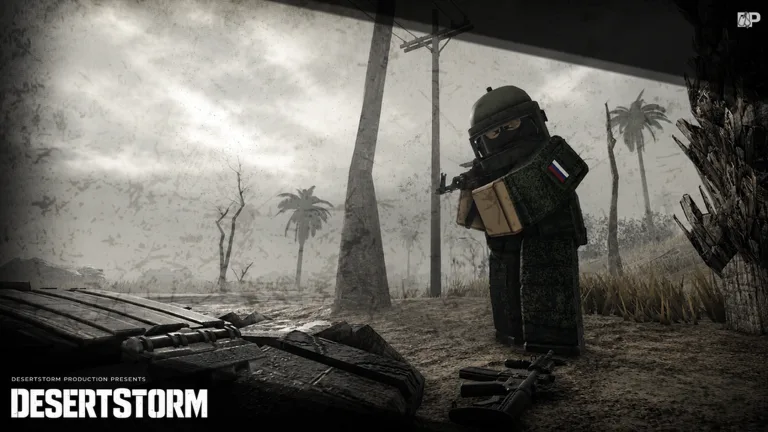
DesertStorm [EXTRACTION] controls zu meistern ist der schnellste Weg, nicht mehr an deinem eigenen Inventar-Screen zu sterben. Dieser Roblox Extraction Shooter borrowt heavily von hardcore FPS wie Escape from Tarkov — jede Sekunde, die du nach der richtigen Taste suchst, ist eine Sekunde, in der jemand anderes einen Headshot lined up. Ob du zum ersten Mal in die main Desertstorm Extraction Map lädst oder nach alpha Wipe zurückkehrst: Diese Seite deckt jeden default PC Keybind ab, den wir kennen, plus practical Tips, die zu unserem Getting Started Guide und First Raid Walkthrough passen.
Movement and camera
DesertStorm nutzt standard First-Person Shooter Movement auf PC. W, A, S und D bewegen dich forward, left, backward und right. Die Maus kontrolliert Blick und Waffenrichtung — kein Third-Person Toggle in Extraction Raids, smooth Mouse Control beeinflusst direkt PvP Survival. Halte Left Shift zum Sprinten. Sprinting ist laut und draint Stamina in den meisten Extraction Shooters — nutze es beim Cross open Ground auf der Map Overview oder beim Rotate zum Extract under fire. Space springt, Left Ctrl croucht. Crouching reduziert Profil hinter Cover und macht Footsteps typischerweise leiser — wichtig beim Push zu high-value Loot Zones oder Sneak past other Players nahe Extraction Points.
C toggled meist Prone oder lower Stance je current alpha Build — test in safe Introduction Area vor Risk Raid. Leaning, wenn enabled, oft Q und E; check In-Game Settings unter M → Settings, weil alpha Patches manchmal secondary Binds remap.
Combat controls
Left Mouse Button feuert Waffe. Right Mouse Button aims down sights (ADS), tightens Spread für medium und long Engagements. Die meisten aus Arcade Roblox Shooters unterschätzen, wie punishing Hip-Fire hier ist — read PvP Survival Guide für when to hold angles versus wide swinging. R reloads. G wirft Grenades oder lethal Equipment when equipped. F interagiert mit Doors, Loot Containers, Bodies und Extract Terminals. Mit Secondary Weapon binden 1, 2 und 3 zwischen Primary, Sidearm und Melee oder Utility Slots je Rig.
Recoil und Weapon Handling variieren by Gun Tier; cross-reference Weapons Tier List before committing Loadout in Budget Starter Builds.
Inventory and looting
Zwei Keys öffnen Inventar in DesertStorm alpha Builds: Tab und Caps Lock. Beide gleiche Function — nutze was comfortable ist. Inventar ist grid-based wie Tarkov, Item Shape und Rotation matter. Drag Items zu Rig, Pockets, Backpack und Weapon Slots while looting. Close Inventory quickly when Footsteps — standing still in Menu ist eine der common early Death Causes in How to Extract Guides.
Double-click oder drag to equip Weapons und Armor. Pay attention to Weight — overloading slows Sprint Speed und kann Timing ruin when running to timed Extract Window.
Squads, menu, and tasks
K öffnet Squads Panel. Squad Play ändert Raid Economics: shared Extracts, coordinated Pushes on Bosses in Boss Fights Guide und safer Looting Rotations. Selbst Solo Players sollten dieses Menu kennen, falls Mid-Session Invite.
M öffnet main Menu — Settings, Graphics, Audio und manchmal Keybind Remapping während alpha. J öffnet Tasks, tied directly to Trader Progression in Traders and Tasks. Tasks before Raid verhindert wasted Runs mit wrong Items gelootet.
UI shortcuts and raid prep
While not always labeled on default Bind Sheet, halten die meisten alpha Players Esc für Roblox Overlay und nutzen In-Game Map from Menu oder dedicated Hotkey when available. Before first serious Run, walk Raid Checklist Guide durch und verify every Bind in Introduction Zone.
Mobile und Controller Support may differ; diese Seite fokussiert PC, wo die meisten Extraction Veterans spielen. Wenn Roblox Gamepad detectet, confirm Binds under Settings after each Update.
Recommended practice routine
Spend ten minutes in Introduction practicing: sprint–stop–ADS–fire drills, quick Tab looting on dummy body, full J-task review. Then queue into Desertstorm Extraction mit cheap Kit from Budget Starter Loadouts until Muscle Memory sticks. Pair Routine mit Controls Hub sibling Pages as added, revisit Reference after Major Patches — alpha Rebalance Passes fügen manchmal new Interaction Keys für Traders, Vehicles oder Event Modes wie Deathzone und Zombie mode auf Map Page hinzu.
Video-Referenz
Schau einen Raid-Überblick für Inventar, Bewegung und Extract-HUD:
Häufig gestellte Fragen
Schnelle Antworten auf die häufigsten Fragen.
Welche Taste öffnet Inventar in DesertStorm?
Auf PC öffnen Tab und Caps Lock dein Inventar. Sie sind interchangeable — pick one and stick with it, damit du mid-fight nicht zögerst.
Wie öffne ich Squads und Tasks?
Drücke K für Squads und J für Tasks. Hauptmenü ist M. Diese Keys sind critical für Group Play und Trader Progression.
Unterstützt DesertStorm Controller auf PC?
Roblox kann Controller Input an supported Experiences weitergeben, aber Binds passen maybe nicht zu dieser PC List. Always verify in M → Settings after alpha Update.
Kann ich Keys rebinden?
Check In-Game Settings Menu (M). Alpha Builds shippen manchmal ohne full Remapping — if Bind missing, report on official Channels linked from [Community Resources Page](/links/community-resources/).
Was soll ich zuerst lernen?
Movement, ADS, Inventory (Tab/Caps) und Interact (F). Then read [How to Play](/guides/how-to-play/) und practice in Introduction before risking Gear.